Top 5 WooCommerce Cash on Delivery Plugins
Running a WooCommerce store means offering payment options that match your customers' preferences. While digital payments dominate the landscape, cash on delivery remains a crucial option for many shoppers, and local store owners selling localy, or restaurants that want a stremlined user experience.
A robust WooCommerce cash on delivery plugin bridges the gap between traditional payment methods and modern e-commerce needs, ensuring you don't miss out on valuable sales opportunities.
Consider this: Nearly 30% of online shoppers prefer cash on delivery, especially in emerging markets and local commerce. Yet, WooCommerce's default COD settings often fall short of meeting complex business requirements. That's where specialized cash on delivery plugins step in, transforming a basic payment option into a powerful business tool.
| Traditional COD Challenges | Modern Plugin Solutions |
|---|---|
| Limited payment validation | Advanced order verification |
| No restriction options | Location-based availability |
| Basic fee structure | Dynamic pricing rules |
| Manual order processing | Automated workflows |
Beyond just accepting cash payments, modern WooCommerce COD Plugins integrate seamlessly with your existing WooCommerce store. They provide essential features like order validation, customer verification, and automated processing - turning what was once a risky payment method into a reliable revenue stream.
Smart businesses recognize that flexibility in payment options directly impacts conversion rates. Implementing the right COD management system isn't just about accommodating payment preferences; it's about creating a trustworthy shopping experience that resonates with your target market while protecting your business interests.
CODCheckout Plugin: The One-Page Checkout Plugin
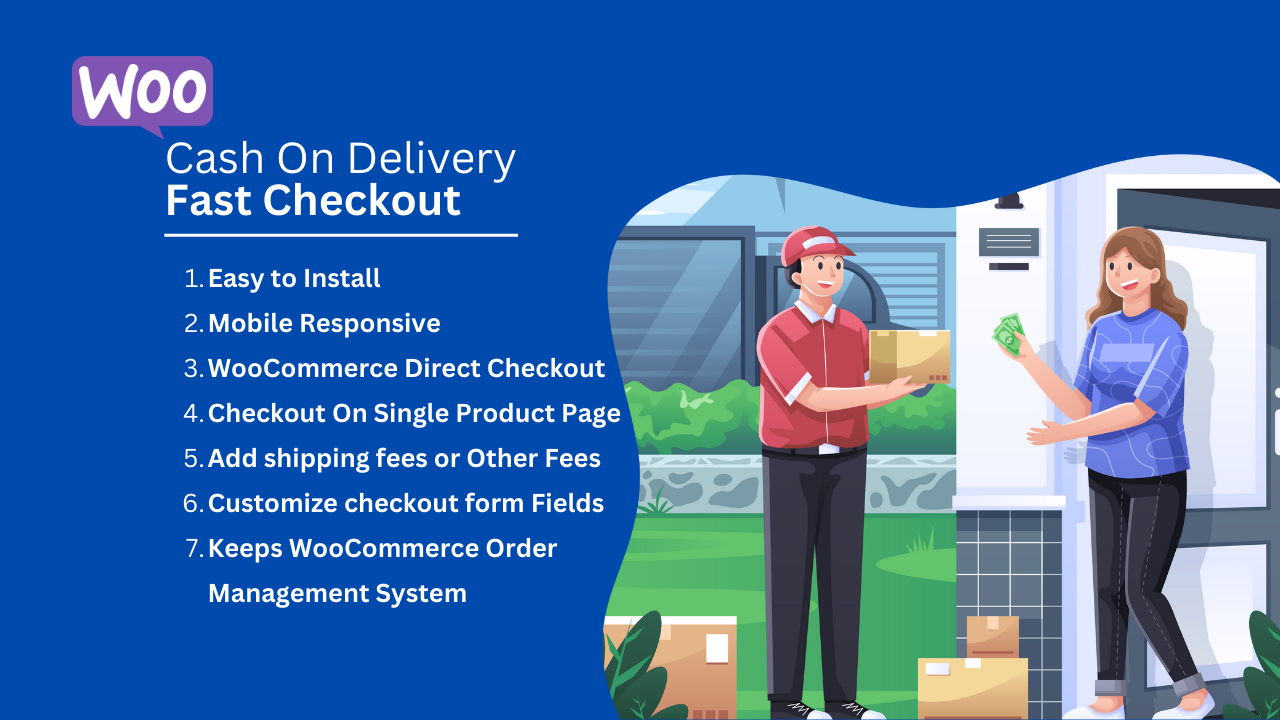
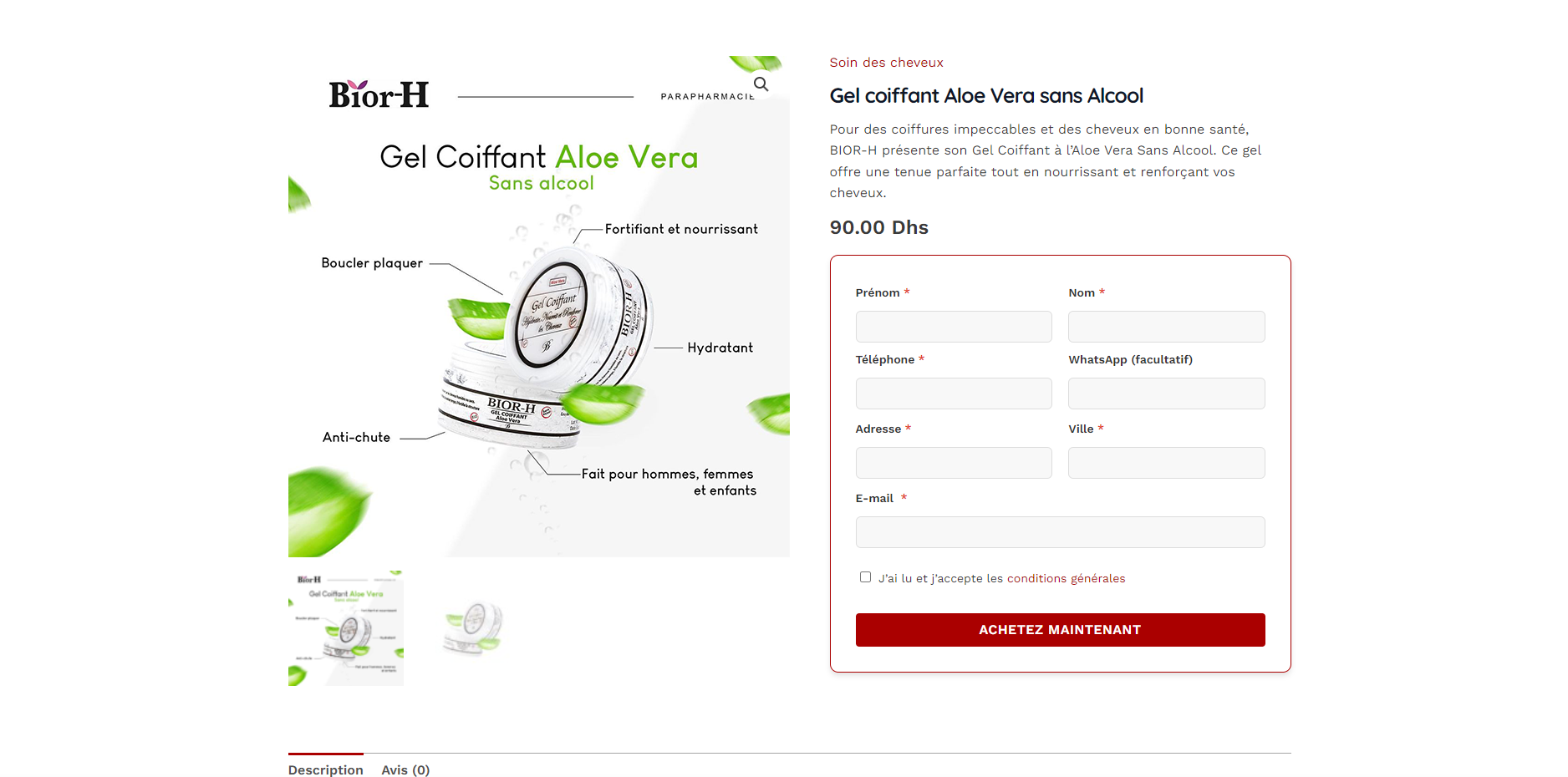
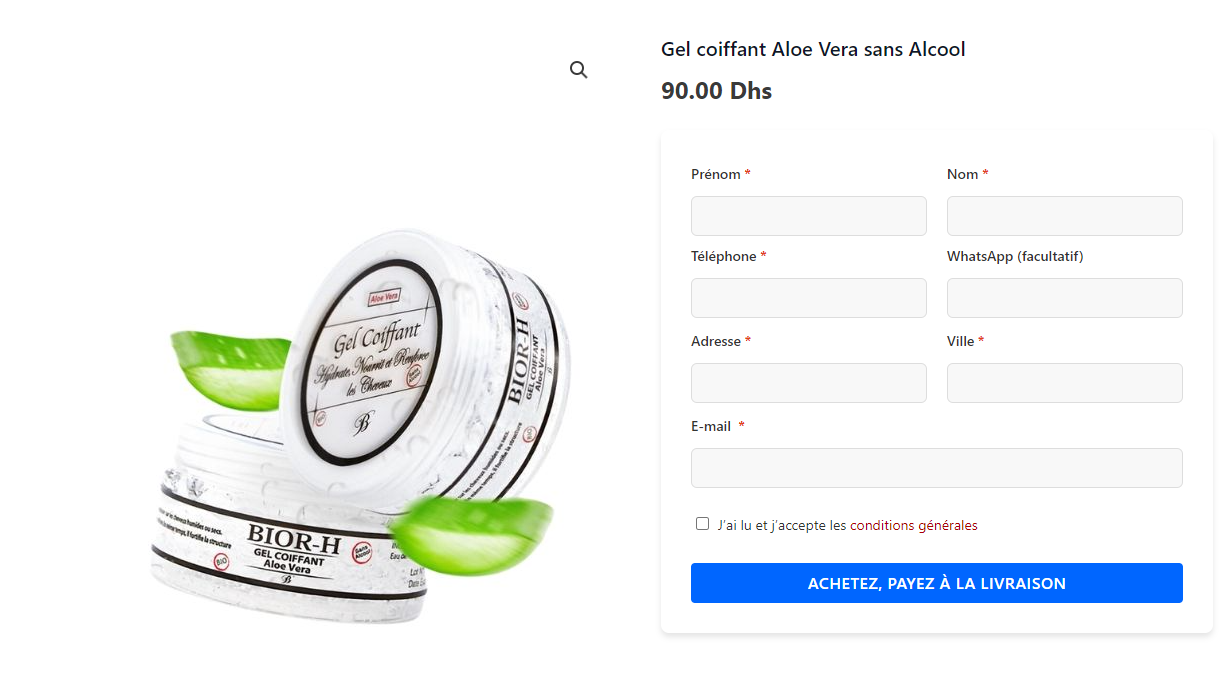
Looking for a straightforward way to boost your WooCommerce store's conversion rates?
COD Checkout transforms your standard cash on delivery process into a streamlined experience that customers love. What sets this plugin apart is its laser focus on mobile optimization – a crucial feature considering that over 60% of online shopping happens on mobile devices.
| Feature Highlight | Benefit |
|---|---|
| One-Page Checkout | Reduces cart abandonment by up to 30% |
| Direct Product Page Orders | Eliminates unnecessary steps |
| Custom Fee Structure | Flexible pricing based on order value |
| Mobile-First Design | Optimized for smartphones and tablets |
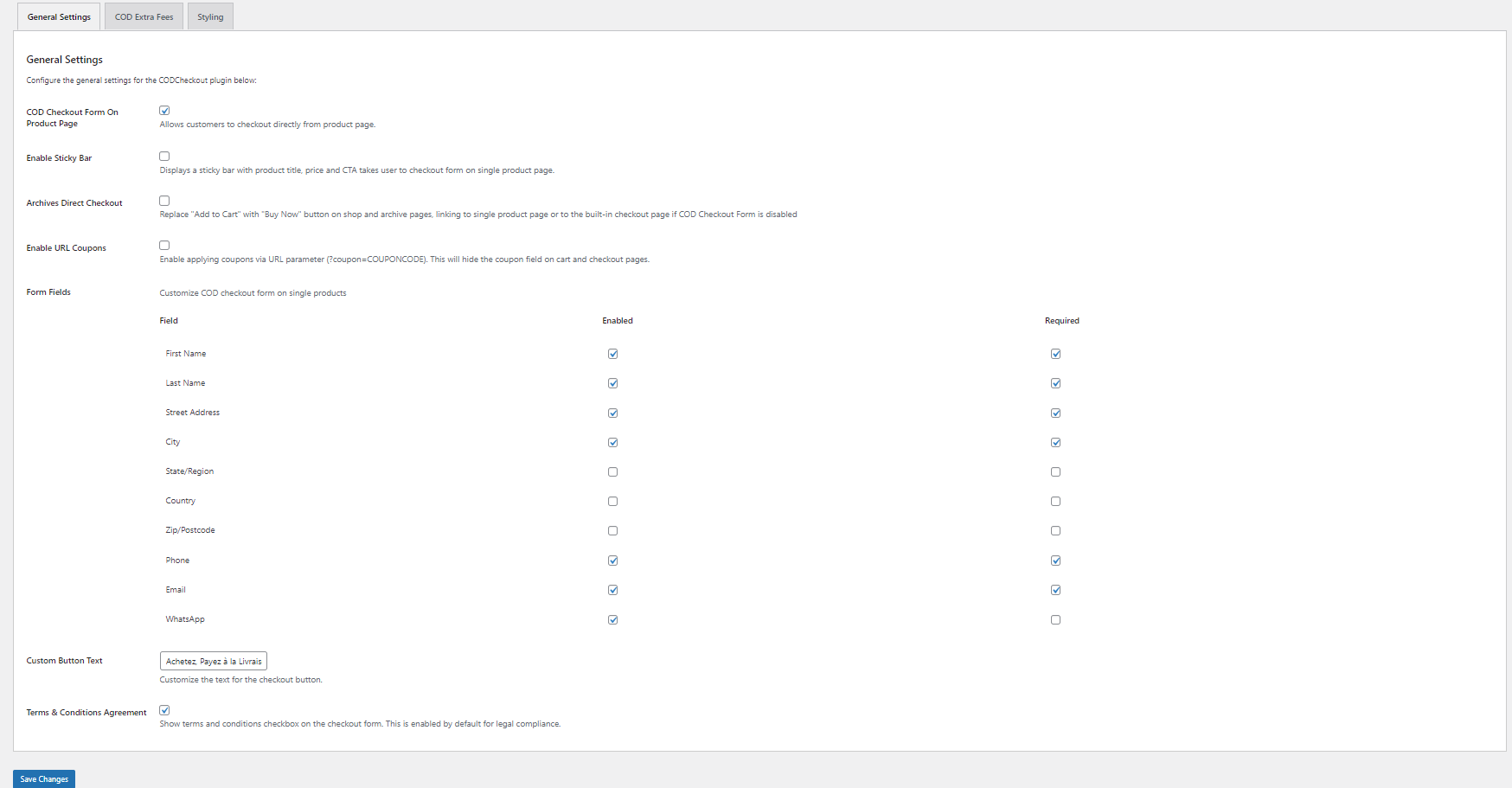
While many WooCommerce Cash On Delivery plugins overwhelm you with features you'll never use, COD Checkout keeps things refreshingly simple. The mobile-friendly COD checkout process works right out of the box, requiring minimal setup time. You can add extra fees based on order value, weight, or destination – perfect for managing delivery costs in different regions.
Real-world example? A local furniture store using COD Checkout saw their mobile orders increase by 25% in the first month. The secret? Customers could complete their purchase in under a minute, with clear delivery fees displayed upfront. No surprises, no confusion, just smooth sailing from cart to confirmation.
Price: $29/year (single site license)
COD Checkout Plugin Link
WooCommerce Smart COD: The Risk Manager

Running a WooCommerce store comes with its share of challenges, and managing cash on delivery risks tops the list. WooCommerce Smart COD Plugin tackles this head-on with a robust suite of tools designed to protect your business while keeping the convenience of COD payments.
Cash On Delivery Risk Management at a Glance
| Control Type | Features | Business Impact |
|---|---|---|
| Geographic | Country, state, and zip code restrictions | Reduce risky deliveries |
| Financial | Order value limits and advance payments | Minimize payment defaults |
| Customer | Role-based restrictions and history checks | Build trusted customer base |
The plugin shines in its ability to handle cash on delivery restrictions with surgical precision. Want to offer COD only to repeat customers? Done. Need to restrict high-value orders in certain areas? Easy. The PRO version even includes a unique "Risk-Free COD" feature that lets you collect partial advance payments – genius for high-value orders.
A standout case? A multi-city electronics retailer used Smart COD's zone-based restrictions to reduce failed deliveries by 40%. They configured different rules for each city based on historical data, automatically blocking COD in high-risk areas while maintaining it in areas with good delivery success rates.
Pricing:
- Free Version: Basic restrictions and fees
- PRO Version: $79/year (includes Risk-Free COD)
The beauty of both these plugins lies in their focused approach to specific COD challenges. While CODCheckout excels in creating a frictionless mobile experience, Smart COD gives you the tools to make informed decisions about who gets COD privileges. Choose based on your primary pain point – conversion rates or risk management?
Need help deciding? Consider these questions:
- Is mobile checkout your biggest bottleneck?
- Do you need granular control over COD availability?
- Are failed deliveries eating into your profits?
Your answers will point you toward the plugin that best fits your business model.
Advanced Cash on Delivery with Fee

Running an online store means dealing with various payment methods, and cash on delivery remains a popular choice for many customers. The Advanced Cash on Delivery with Fee plugin brings sophistication to COD management, making it easier to handle this payment method efficiently.
Key Features and Implementation
| Feature Category | Capabilities |
|---|---|
| Fee Management | • Fixed and percentage-based fees<br>• Multiple fee rules<br>• Tax inclusion options |
| Restriction Control | • User role restrictions<br>• Location-based limits<br>• Product category filters |
| Custom Messages | • Restriction notifications<br>• Fee explanations<br>• Payment instructions |
Setting up COD restrictions becomes remarkably straightforward with this plugin's intuitive interface. Store owners can create complex rule combinations without touching any code. For instance, you might want to charge higher fees for remote locations while offering reduced rates to returning customers – all of this is possible through the plugin's rule-based system.
The plugin really shines in its ability to handle location-based restrictions. Whether you're targeting specific postcodes or entire regions, the granular control helps you manage delivery risks effectively. Plus, the custom message system ensures your customers always understand why certain options are available or unavailable to them.
Advanced Cash On Delivery With Fee Plugin Link
WooCommerce Partial COD

Split payments have become increasingly important for businesses managing large orders. WooCommerce Partial COD addresses this need by offering flexible partial payment options for cash on delivery orders.
Implementation Overview
Typical Partial Payment Structure:
Initial Payment: 30-50% online payment
Remaining Balance: Collected through COD
The plugin excels in handling complex payment scenarios. Store owners can set up multiple partial payment rules based on:
- Product categories and types
- Order total thresholds
- Customer groups
- Seasonal promotions
What sets this plugin apart is its integrated automation system. When a customer makes a partial payment, the plugin automatically adjusts order statuses, sends notifications, and updates inventory – all without manual intervention.
Performance and Integration
| Aspect | Rating | Notes |
|---|---|---|
| Speed Impact | Minimal | Lightweight code structure |
| WooCommerce Integration | Excellent | Native compatibility |
| Payment Gateway Support | Extensive | Works with major providers |
| Order Management | Advanced | Automated workflow support |
WooCommerce Partial COD Plugin Link
Cash on Delivery Viva payment Plugin WordPress (Viva Payments Smart Checkout)

For businesses operating across borders, Viva Payments Smart Checkout offers a comprehensive solution that handles both traditional and international COD payments seamlessly.
Multi-Currency Management
The plugin processes payments in multiple currencies while maintaining consistent fee structures. This proves particularly valuable for stores serving customers across different regions.
| Currency Support | Settlement Options | Processing Time |
|---|---|---|
| EUR, GBP, USD | Same-day available | 24-48 hours |
| Regional currencies | Next-day settlement | 48-72 hours |
| Custom rates | Automatic conversion | Real-time |
Beyond basic payment processing, the plugin offers sophisticated fraud prevention tools and automatic currency conversion. Integration with local payment methods in different countries ensures that customers can use their preferred payment options.
The checkout experience remains smooth and familiar regardless of the customer's location. The plugin automatically detects the customer's region and presents relevant payment options, making international transactions as simple as domestic ones.
Security and Compliance
Viva Payments maintains high security standards with:
- PCI DSS compliance
- Real-time fraud detection
- Automated risk assessment
- Transaction monitoring
These features make it particularly suitable for businesses expanding into new markets where payment security and compliance requirements vary.
Viva Smart Checkout Plugin Link
How to Choose the Best WooCommerce COD Plugin for Your Store
When selecting a WooCommerce COD plugin, it’s essential to evaluate your specific business needs and identify the features that will best support your operations. Whether you're looking to optimize your checkout experience, reduce delivery risks, or streamline order management, choosing the right plugin can make a significant difference in both customer satisfaction and business efficiency.
1. Consider Your Business Model and Needs
Each WooCommerce store has different requirements when it comes to cash on delivery. For instance, if you're focused on expanding your mobile sales, a mobile-optimized checkout experience is critical. On the other hand, if you're managing high-risk deliveries in certain regions, a plugin with strong geographic restrictions would be ideal.
Consider the following:
- Mobile Optimization: If your store sees significant mobile traffic, a plugin like CODCheckout, which offers a one-page checkout optimized for mobile devices, would reduce cart abandonment and improve conversion rates.
- Risk Management: For businesses with high-value orders or a broad geographic spread, a solution like WooCommerce Smart COD might be the best fit. It allows you to control COD availability based on order value, customer type, and location, which minimizes potential payment defaults and failed deliveries.
2. Evaluate Specific Features for Your Use Case
The "best COD plugin for [specific use case]" depends on the unique challenges your store faces. Below are a few scenarios where certain plugins stand out:
| Use Case | Recommended Plugin | Key Features |
|---|---|---|
| High Mobile Traffic | CODCheckout | One-page mobile-friendly checkout, direct product page ordering, flexible fee structures |
| High Risk of Failed Deliveries | WooCommerce Smart COD | Geographic restrictions, order value limits, partial payments, customer role-based restrictions |
| Customizable Fee Management | Advanced Cash on Delivery with Fee | Flexible fee structures, tax inclusion, multiple fee rules based on order value and location |
| Multi-Currency & International Sales | Viva Payments Smart Checkout | Multi-currency support, automatic currency conversion, fraud prevention, regional payment options |
By matching the plugin's capabilities to your business needs, you ensure you're getting the most value and functionality. The best COD plugin is one that addresses your core challenges and integrates seamlessly with your existing WooCommerce setup.
3. User Experience and Setup
While advanced features are important, the ease of installation and use should also be a factor in your decision. A smooth and straightforward WooCommerce COD setup can save time and reduce frustration during implementation.
- Simple Configuration: If you're new to COD management or prefer a straightforward approach, look for a plugin with an intuitive interface and easy setup. Plugins like CODCheckout and the Advanced Cash on Delivery with Fee plugin are designed for quick integration, offering an easy-to-navigate dashboard and minimal setup time.
- Automation: If you're managing large volumes of orders or complex logistics, automation can drastically improve efficiency. Plugins like WooCommerce Partial COD and Viva Payments Smart Checkout automate the process of payment collection, order status updates, and inventory management, reducing the need for manual intervention.
4. Customer Support and Ongoing Maintenance
Choosing a plugin with reliable customer support is vital for long-term success. Look for developers who offer timely assistance, detailed documentation, and regular updates. Having access to helpful resources ensures that any challenges or compatibility issues with future WooCommerce updates are addressed promptly.
Before making a purchase, check:
- Does the plugin offer active support via forums, chat, or email?
- Are there user reviews or testimonials that speak to the quality of customer service?
- Is there clear documentation on installation, configuration, and troubleshooting?
A plugin that is easy to maintain and update can save you from future headaches as your business grows or changes.
5. Security and Compliance
Cash on delivery transactions, especially when dealing with larger amounts, can introduce security risks. It's crucial that the plugin you choose adheres to the highest security standards and provides features that protect your business and customers from fraud.
- Fraud Prevention Tools: For international stores or regions with higher fraud rates, choose plugins like Viva Payments Smart Checkout that offer built-in fraud detection tools and real-time transaction monitoring.
- Secure Payment Handling: Ensure that the plugin integrates with reliable and secure payment gateways that protect customer data and reduce the risk of chargebacks.
Before finalizing your decision, verify that the plugin is compatible with WooCommerce’s latest security standards and complies with relevant local or international regulations like PCI DSS.
Best Practices for Implementing WooCommerce COD
Successfully managing COD orders requires a strategic approach, not just in selecting the right plugin but also in setting up the payment system efficiently. Here are some implementation tips and best practices for a smooth WooCommerce COD configuration.
1. Optimize Your Checkout Experience
To create a seamless user experience, focus on reducing friction at the checkout stage. A straightforward and intuitive WooCommerce COD setup can encourage more customers to complete their purchase.
- Use a One-Page Checkout: A plugin like CODCheckout, which consolidates the entire checkout process into a single page, reduces the chances of cart abandonment. It also speeds up the process for customers who may be hesitant about the additional steps involved in traditional checkout flows.
- Clear Fee Structure: Clearly display any COD fees upfront. Plugins such as Advanced Cash on Delivery with Fee offer customizable fee structures based on location, order size, or customer type, ensuring that fees are transparent and reasonable.
2. Manage Delivery Risks with Smart Restrictions
If failed deliveries are a significant concern, set up restrictions that help prevent costly mistakes.
- Geographical Limits: Use plugins like WooCommerce Smart COD to limit COD availability based on regions or even postcodes, particularly for high-risk areas. This helps you focus on delivering COD in regions where it’s most profitable and reducing the risk of failed deliveries.
- Order Value Restrictions: Set rules to prevent COD on high-value orders. With plugins like Smart COD and Advanced Cash on Delivery with Fee, you can set maximum order thresholds to control the risk of large unpaid amounts.
3. Automate the Process
One of the biggest benefits of a robust COD plugin is automation. From order status updates to fee calculations, plugins can help you manage your operations with minimal effort.
- Automate Payment Confirmation: Set up automatic order status updates and notifications for customers when their COD payment is confirmed or collected. This will keep your customers informed and reduce manual tracking.
- Inventory Management: Automatically adjust inventory when partial COD payments are made or when full payment is received. This eliminates the risk of overselling and keeps your stock levels accurate.
4. Test and Fine-Tune Your Configuration
Before going live with your COD setup, run test transactions to ensure that everything works as expected. Check for:
- Proper fee calculation based on the order total, weight, or location.
- Clear communication with the customer regarding the payment process and any restrictions in place.
- Smooth transitions between checkout, order confirmation, and payment collection.
Once you're live, monitor customer feedback and tweak your settings based on performance data to ensure a seamless COD experience.
By following these best practices, you can ensure that your COD process not only works smoothly but also enhances your customers’ shopping experience, drives conversions, and minimizes delivery risks.
FAQ Section: COD Management in a WooCommerce Storee
How Do I Add Cash on Delivery to WooCommerce?
Adding Cash on Delivery (COD) as a payment method in WooCommerce is a straightforward process, but it requires configuring both the payment settings and any additional functionality you may need for your store. Here’s how you can get started:
- Enable COD in WooCommerce Settings: Go to your WooCommerce settings by navigating to WooCommerce > Settings > Payments. Find "Cash on Delivery" and click on the "Manage" button. Here, you can enable the payment method, configure its title (e.g., "Pay on Delivery"), and customize the description visible to customers.
- Customizing COD Options: Depending on your needs, you may want to integrate additional features, such as location-based restrictions or fees based on order value. For these advanced settings, you can use a plugin like WooCommerce Smart COD or Advanced Cash on Delivery with Fee to customize your COD rules and set up extra fees for remote areas or large orders.
- Test and Launch: Once everything is set up, make sure to run some test transactions to ensure that the COD payment method is functioning correctly and that customers see the payment option as intended.
By using plugins, you can also automate the COD process, such as adding extra fees or requiring partial payments for high-value orders.
Which WooCommerce COD Plugin is Best for International Shipping?
When it comes to international shipping, managing Cash on Delivery (COD) payments becomes more complex due to varying shipping costs, currencies, and delivery risks. For WooCommerce stores that cater to global customers, it's essential to choose a COD plugin that can handle these complexities while keeping the process streamlined.
The Viva Payments Smart Checkout plugin is an excellent choice for international stores. Here's why:
| Feature | Benefit |
|---|---|
| Multi-Currency Support | Automatically handles various currencies, ensuring a smooth checkout experience for international customers. |
| Regional Payment Options | Integrates local payment methods, helping you offer COD in regions where it's a preferred option. |
| Fraud Prevention | Includes tools like real-time fraud detection and transaction monitoring, which are especially useful for international transactions. |
With Viva Payments, you can also set up location-based COD restrictions, ensuring that you only offer COD in countries or regions where you’re comfortable managing the risks. If you're running a global business, this feature can drastically reduce the potential for failed deliveries or payment defaults.
How to Set Up COD Payment Restrictions in WooCommerce?
Setting up Cash on Delivery (COD) payment restrictions in WooCommerce helps protect your business from high-risk deliveries, especially in areas with a higher likelihood of failed payments or shipping issues. Here’s how to create specific COD restrictions:
- Location-Based Restrictions: Use plugins like WooCommerce Smart COD or Advanced Cash on Delivery with Fee to restrict COD based on the customer’s shipping address. This is helpful if you want to limit COD to certain countries, states, or even specific postcodes where delivery is reliable. With these plugins, you can:
- Restrict COD to specific regions or countries where you can reliably handle cash payments.
- Block COD for high-risk delivery areas (e.g., regions with frequent failed deliveries).
- Order Value and Customer Type: You can further enhance your restrictions by limiting COD to orders under a certain value or offering COD only to repeat customers. For example, high-value items can be set to require partial payments in advance, while smaller orders can be fully eligible for COD. This ensures you minimize the risk of large, unpaid orders while still offering flexibility to your customers.
- Custom Messaging and Notifications: Once restrictions are set, it’s important to communicate them clearly to customers. Use the plugin’s custom messaging features to notify customers if COD is unavailable in their area or if there are additional fees for remote locations. Clear communication helps manage expectations and avoids cart abandonment at checkout.
How to Add Extra Fees for COD Orders in WooCommerce?
Implementing extra fees for Cash on Delivery (COD) orders is a common requirement for many WooCommerce store owners, especially for businesses that handle deliveries in remote areas or offer high-value products. Here's how to set up and manage COD extra fees:
- Using Advanced WooCommerce COD Plugins: Plugins like Advanced Cash on Delivery with Fee and CODCheckout make it easy to implement a flexible fee structure based on different criteria, such as:
- Order Value: Charge higher fees for larger orders or orders that require more logistics, like furniture or appliances.
- Shipping Location: Apply a fee surcharge for customers in remote or high-cost shipping areas.
- Customer Type: Offer reduced fees for loyal or returning customers, incentivizing repeat purchases.
- How Fees Are Calculated: These plugins allow you to define a set of rules to calculate fees, either as a fixed amount or a percentage of the order total. For example, you can set a flat fee of $5 for COD orders in certain postcodes or charge 2% of the total order value for high-ticket items.
- Transparent Communication: Clearly display the extra fees at checkout so that customers are aware of them before completing their purchase. Providing a breakdown of the fee helps manage customer expectations and reduces the chances of abandoned carts due to hidden costs.
By strategically adding COD fees, you can offset the extra costs of handling cash on delivery while maintaining a transparent and trustworthy experience for your customers.
What Are the Benefits of Using a WooCommerce COD Plugin with Partial Payment Options?
For stores selling high-ticket items or those facing payment defaults, offering partial payments on COD orders is a valuable feature. WooCommerce Partial COD allows you to split payments, requiring customers to pay a deposit online and the remaining balance on delivery. This method reduces the risk of non-payment for larger orders, providing both you and your customers with more flexibility.
| Feature | Benefit |
|---|---|
| Partial Payment on COD | Collect a percentage of the total order upfront, reducing the risk of failed deliveries or unpaid orders. |
| Automated Workflow | Automatically updates the order status and inventory when a partial payment is received, reducing manual work. |
| Customizable Payment Rules | Set up different partial payment options based on product categories or customer types. |
This plugin is ideal for businesses that deal with high-value products, like electronics, furniture, or custom-made items, where it's common for customers to hesitate before making full payments upfront.
Additionally, the plugin integrates seamlessly with your WooCommerce setup, allowing for easy management of both partial and full payments without complex configurations.
Can I Offer Location-Based COD Payment Options in WooCommerce?
Yes, location-based restrictions are a powerful feature that you can implement with several COD plugins for WooCommerce, including WooCommerce Smart COD and Advanced Cash on Delivery with Fee. These plugins allow you to:
- Restrict COD to Specific Locations: Offer COD only in areas with reliable delivery services, reducing the risk of failed deliveries. This can be done by setting geographical boundaries (e.g., only allowing COD within certain postcodes or cities).
- Offer Regional Pricing: Charge different fees for different locations. For example, remote locations might have a higher delivery fee, which can be automatically added to the COD order.
By using location-based COD options, you can better control the payment process, ensuring that your delivery system is both secure and efficient.
How Can I Improve COD Conversion Rates on Mobile?
Given that more than half of online shopping is done on mobile devices, optimizing your COD checkout process for mobile users is essential. The CODCheckout plugin offers a one-page, mobile-optimized checkout experience that reduces friction and boosts conversions by streamlining the purchase process.
Key mobile-friendly features include:
| Feature | Benefit |
|---|---|
| Mobile-First Design | The one-page checkout design ensures fast and easy ordering on smartphones, reducing cart abandonment. |
| Direct Product Page Ordering | Customers can add COD as a payment option directly from the product page, speeding up the checkout process. |
| Custom Fee Structure | You can tailor the fee structure based on order value, location, or product weight, and the fees are clearly displayed for mobile users. |
By focusing on reducing checkout steps and making fees transparent, the CODCheckout plugin helps businesses optimize their mobile sales and improve overall conversion rates.
WooCommerce Cash On Delivery Plugin Comparison Table
Choosing the right cash on delivery plugin for your WooCommerce store depends on your specific needs, such as mobile optimization, risk management, fee structures, and automation. Each plugin offers unique features that cater to different types of businesses and challenges. To help you make a more informed decision, we’ve put together a detailed comparison of the five most popular WooCommerce COD plugins reviewed in this guide.
Below, you'll find a table summarizing the key features and pricing of each plugin, allowing you to compare them side by side and select the one that best fits your business requirements.
| Feature / Plugin | CODCheckout | WooCommerce Smart COD | Advanced Cash on Delivery with Fee | WooCommerce Partial COD | Viva Payments Smart Checkout |
|---|---|---|---|---|---|
| Mobile Optimization | ✔ One-page checkout, mobile-friendly design | ✘ Not mobile-optimized | ✘ No mobile-first design | ✘ No mobile-first design | ✔ Mobile-optimized checkout |
| COD Fee Management | ✔ Custom fee structure based on order value | ✔ Dynamic pricing based on location | ✔ Fixed & percentage-based fees | ✔ Partial payments, flexible | ✔ Multiple currencies and fees |
| Location-Based Restrictions | ✘ No location-based restrictions | ✔ Country, state, zip code-based restrictions | ✔ User role & location restrictions | ✔ No geographic restrictions | ✔ Region-specific payment options |
| Risk Management Features | ✘ No specific risk management tools | ✔ Order value limits, advance payment options | ✔ Custom fee rules and restrictions | ✔ Partial payment option | ✔ Fraud detection, transaction monitoring |
| Customer Verification | ✘ No customer history checks | ✔ Role-based restrictions | ✔ Custom messages & notifications | ✘ No customer verification | ✔ Advanced fraud prevention tools |
| Fee Customization | ✔ Yes (order value, weight, location) | ✔ Yes (order value, customer type) | ✔ Yes (multiple rules) | ✔ Yes (based on order value) | ✔ Yes (including taxes and currency) |
| Automation Features | ✔ Automated checkout process | ✔ Order status automation, partial payment option | ✔ Fee calculation and restrictions automation | ✔ Order status and inventory updates | ✔ Fraud prevention, order processing |
| Ideal For | High mobile traffic stores | Stores needing advanced risk management | Stores needing customizable fee rules | Stores needing flexible partial payments | International stores needing multi-currency support |
| Pricing | $29/year (single site license) | Free version available; PRO: $79/year | Pricing varies (contact for quote) | Pricing varies (contact for quote) | Pricing varies (contact for quote) |
Key Takeaways:
- CODCheckout is ideal for stores that prioritize a seamless, mobile-optimized checkout experience with minimal setup and flexibility in COD fee management.
- WooCommerce Smart COD management offers comprehensive risk management tools, including location and order value-based restrictions, making it a great choice for businesses dealing with high-risk deliveries or large orders.
- Advanced Cash on Delivery with Fee shines in customizable fee structures and location-based restrictions, allowing businesses to tailor the COD experience to their specific needs.
- WooCommerce Partial COD Plugin is best suited for stores that require the ability to split payments for larger orders, offering a flexible and automated solution for COD payment scenarios.
- Viva Payments Smart Checkout (Cash on Delivery Viva payment Plugin WordPress) is designed for international stores, offering multi-currency support, fraud prevention, and a robust fraud management system, making it the ideal choice for businesses operating across borders.
By comparing these WooCommerce Cash On Delivery Plugins, you can select the plugin that aligns best with your business goals, whether it's improving conversion rates, managing COD risks, or simplifying payment processes.